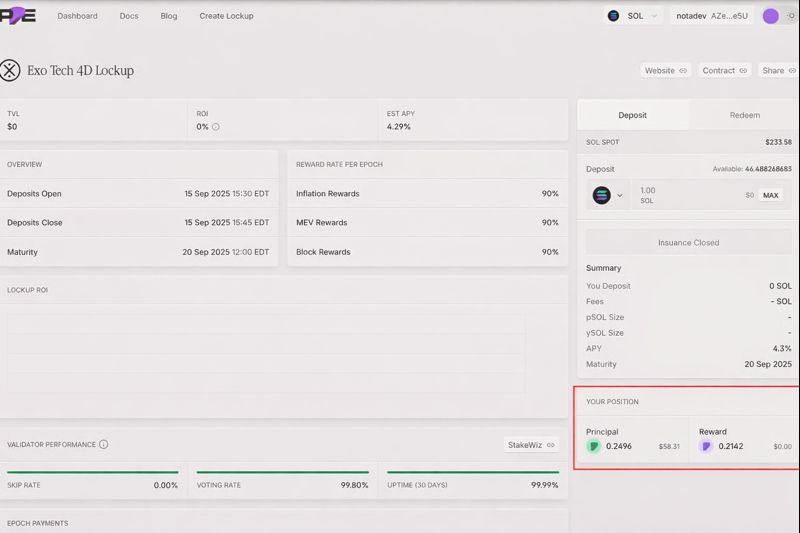
Deposit
Stakers have two ways to participate: directly deposit liquid SOL to a validator or migrate an existing active stake account. When depositing the migrated stake account or SOL, you can choose from different durations and upon deposit will recieve a corresponding number of Principal Tokens and future Rewards Tokens.
Important
Deposits can only be made while the deposit window is open (between “Deposits Open” and “Deposits Close” times shown in the Overview).
After the window closes, the “Issuance Closed” message will appear, and no new deposits will be accepted.
Ensure you always verify validator performance metrics (skip rate, uptime, voting rate) as they may affect yield quality.
Depositing to a lockup is straightforward:
STEP 1: Navigate to Lockup Page
Open app.pye.fi.
Select the Lockup you want to participate in. For example: https://app.pye.fi/lockups/G1FBFpkSg7mQtYBJhGQ4L1WK3PAkr976YHFUDzhZp3UQ.
You will see the Lockup Overview Screen, including details like:
TVL (Total Value Locked)
ROI and APY estimates
Deposit window (open/close times)
Maturity date
Validator performance metrics
Reward rate breakdown (inflation, MEV, block reward)
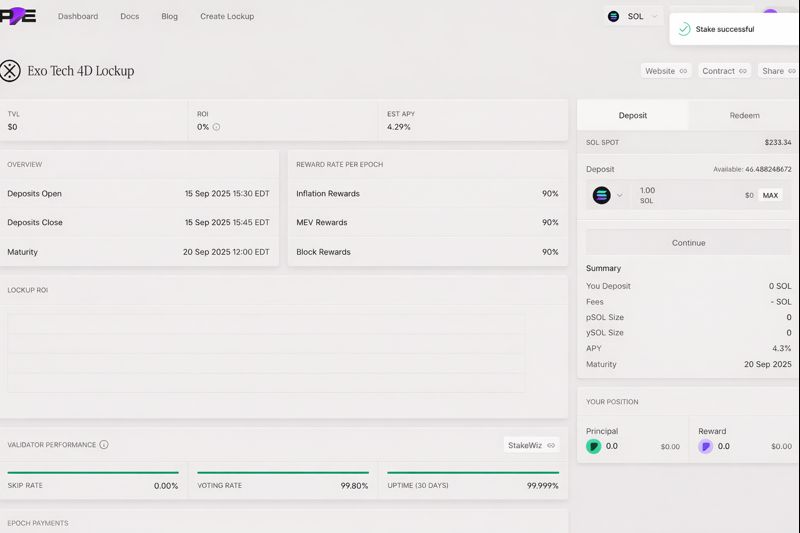
STEP 2: Input Amount
In the Deposit box (right-hand panel):
Select SOL as the deposit token.
Input the amount of SOL you want to deposit.
Alternatively, click MAX to use your full available balance.
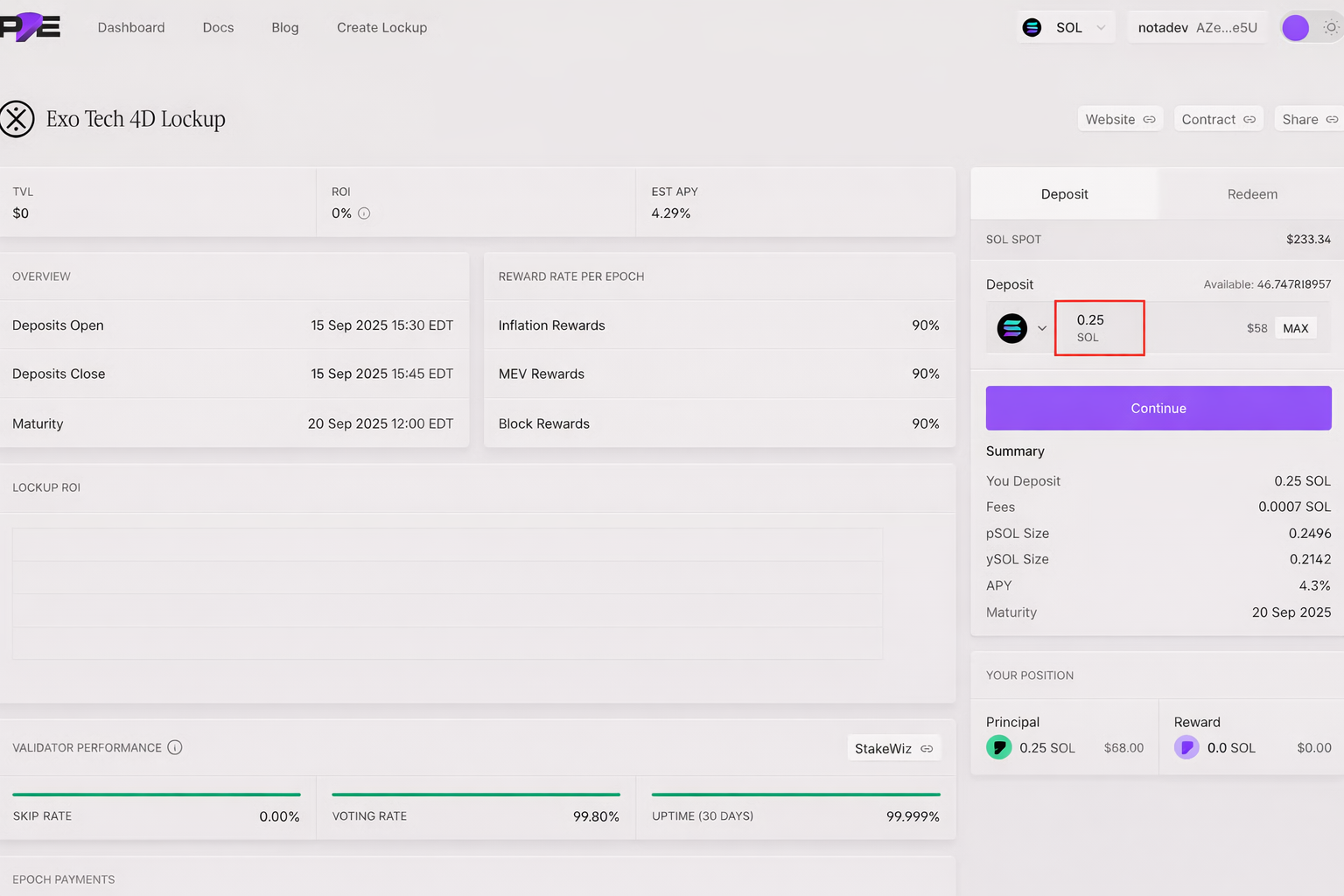
STEP 4: Confirm and Execute Transaction
Click Deposit.
Your wallet will prompt you to approve the transaction.
Review gas fees and confirm.
Once confirmed, the transaction will be processed on Solana.
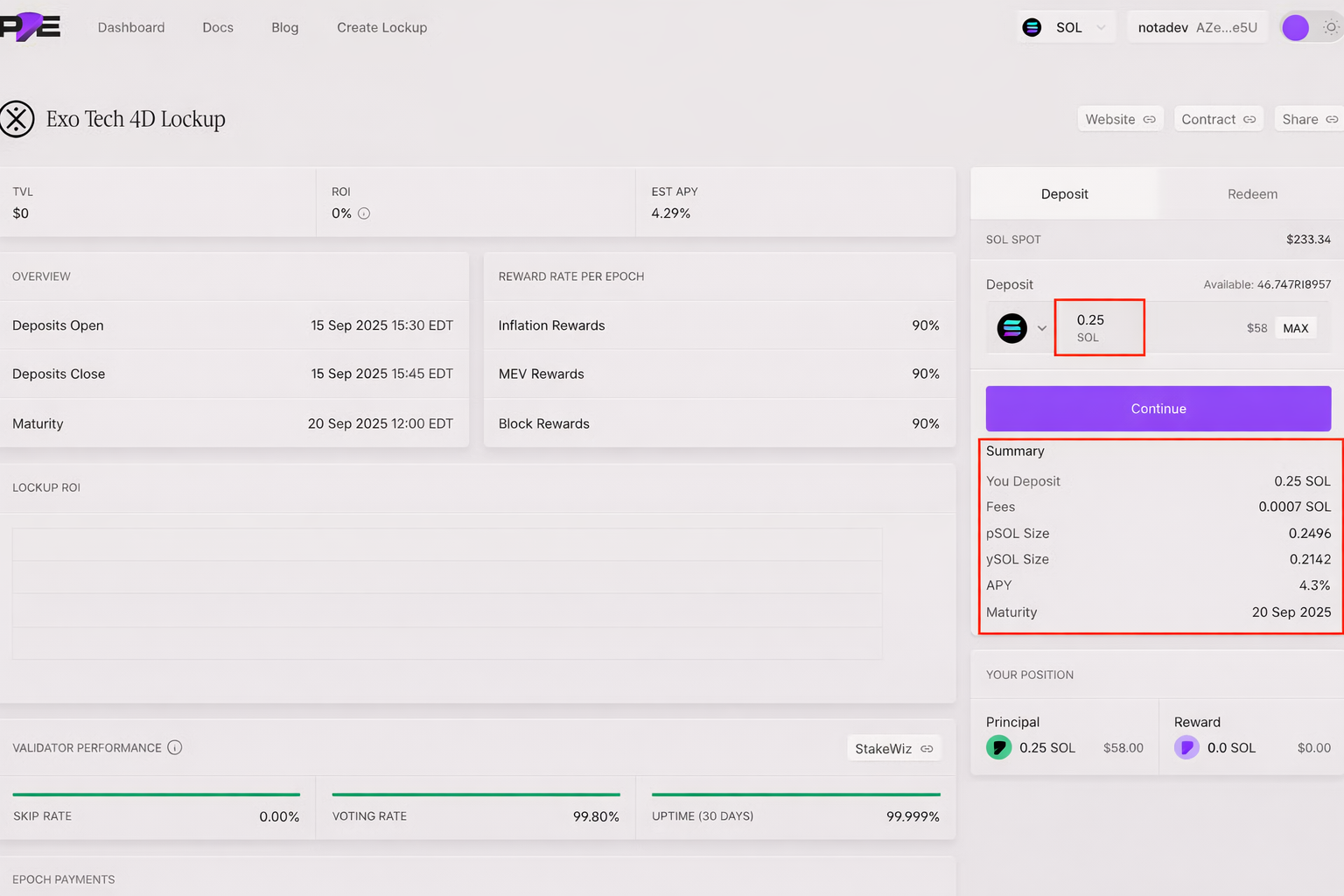
STEP 5: Verify Your Position
After a successful deposit, your position will appear in the Your Position panel (bottom right).
Principal: Represents your locked deposit, redeemable 1:1 for SOL at maturity.
Reward: Represents the reward component, redeemable for the staking rewards generated by your deposit.